Showing posts with label Doodles/Scrapbook. Show all posts

Thursday, March 31, 2011

Built in Breather

Do not wish to be anything but what you are, and try to be that perfectly.
                    -St. Francis de Sales

I used to read this quote and think that wasn't a big issue for me. I know my limitations. I know who and what I will never be.

Like, you know, I will never be in a career that involves math.

But when I read this quote today I looked at it from another angle. Because what I am is not what I used to be.

And I like who I used to be. So it's a bit hard not to wish for that back.

I'm not talking about things like going outside or singing at church or attending events or running around a track. I'm not talking about the big, obvious things. It's the little things.

The ways I used to be there for people even after I was homebound. The way I used to keep my inbox at zero and get back to people in a timely manner. The way I used to drop people notes in the mail for no reason and check in on people through Facebook and spend evenings talking with friends on Twitter. Checking in. Making sure everyone was well and knew they were thought of and cared about.

The little things that require energy and stamina and the tiniest bit of health.

Those things, the energy things, are not who I am anymore. And it's frustrating me because I'm still trying to do them and not doing them perfectly.

One way I've tried to hold onto that version of me is to show up here every day. To not worry you guys when I go missing. I don't lie and say I'm well, but I certainly do my best to try to appear as strong as I can be. I like the me I used to be who never struggled to sit up and type, who painted canvases to raffle off to you all and who doodled little freebies every week. I used to be the girl who created no matter what.

And while creating still gives me joy, it's not helping my health situation. And that means I'm not being perfectly who I am.

Because the truth is that my health has been on a downhill slide. Infections that used to clear up after a couple rounds of antibiotics are now getting worse instead of better after weeks of treatment. And breathing actually requires concentration. And exhaustion hits in ways that means more than being crazy tired. Exhaustion means my brain screams at my arms to move and nothing happens. There's just no energy there.

I'm not good at admitting that. But I'm admitting it anyway. Because I need to be a little kinder to myself.

I'm going to start by giving myself a break on Thursdays… because I'm finding by that point in the week I'm pretty spent. Don't worry… I'm still going to blog incessantly all the other days. I'm just going to see how it feels to give myself permission to not have to sit up and create one day of the week. And if I randomly doodle something I think you'll like, I'll just give it away on a different day. :)

But that means we're done with YOU:create on here, and I have LOVED the way some of you have started to bring creativity back in your lives. So I hope you keep creating on your own… taking that time that fills the space inside you where you find who you truly are.

I'm finding who I truly am, too. And trying to be perfectly me. In the here and now. Whether I like it or not. :)

Thursday, March 24, 2011

YOU:create … for Vicky

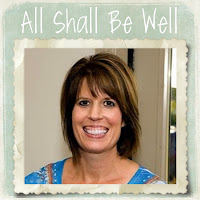
"All Shall Be Well" is the phrase my friends Vicky and Robin and I have been constantly typing to each other this past week.

In this one week, Vicky's life changed on a dime. Breast cancer just aren't words a person is ever prepared to hear. "Invasive" and "aggressive" and "stage three" are ones you never want to hear behind them.

In this one week, Vicky has gone from an ultrasound to mammogram to biopsy to diagnosis. Today she will have a PET scan to be sure it hasn't spread further than they think, and tomorrow she begins chemotherapy.

One week.

A whole new world.

A whole new language of medicine and stages and treatments.

But she will have the same people who love her, standing with her and beside her. Loving her and praying for her and supporting her every step of the way.

Vicky was one of my very first blog friends. She has peppered me with questions that have challenged me and prompted me to look deeper and write deeper. She held me up when I felt weak, and when our Dads died within days of each other, we grieved together.

Now, we are going to fight together.

Will you join me in praying for my friend?

<center><a href="http://thewestraworld.blogspot.com/"><img src=" https://lh5.googleusercontent.com/_lCeOMfY0_fQ/TYp8Y0GrvoI/AAAAAAAAFK0/9M7l5_WNwlk/s200/vicky%20button.jpg"/></a></center>

For my project this week, I created the blog button you see above. That's our smiling Vicky… all shall be well is her motto. If you want to visit her blog and leave her a comment of support, just click on the button. If you want to add the button to your sidebar, right click within the box underneath to select all, copy and then paste it into your own blog. It will remain available on my sidebar under "Blog Buttons."

Thanks in advance for supporting and loving on Vicky. She is one in a million.

divider red

I can’t wait to see what you guys came up with this week! Just click below and follow the instructions to link to your project. When it asks you to choose the web or a file for your thumbnail, choose web. Then it will take you to a list of the images on the page you are linking to and you’ll be able to choose a photo to represent your project.

Wednesday, March 2, 2011

YOU:create … week 27

Hey, guys… I know, it's the wrong day to have a YOU:create link up. :) But tomorrow I'm scheduled to post over at (in)courage, so I am doing your free download of doodles today instead.

No worries if you normally participate and don't have your own creative project ready to go… you can come back tomorrow and still link up. I just wanted to make sure it was available at some point this week!

Today I am posting some more card options for you all. I find that I often just want to check in with people simply to let them know they are being thought of and loved. It's not always because they need a get well card, and it's not always on their birthday or a special occasion. So I made you all some "just a note" cards for those times when… well… it's just a note. :)

Here's what's in today's download:

note floral copy

note quilted copy

note dash copy

Thinking of You plain copy

Thinking of you 1 copy

If you'd like a copy of these doodles for yourself, all you have to do is click the button and it will take you to the download page:

download

divider red

I can’t wait to see what you guys came up with this week! Just click below and follow the instructions to link to your project. When it asks you to choose the web or a file for your thumbnail, choose web. Then it will take you to a list of the images on the page you are linking to and you’ll be able to choose a photo to represent your project.

Tuesday, March 1, 2011

Gitz Bits 2011: Week 8

gitz bits 2011 2

divider green

Monday, February 21, 2011

2.21.11

In the words of Joey from Friends:

"How you doin'?"

divider green

Tuesday, February 22, 2011

2.22.11

This is what the table looks like when I'm "creating." Or just as I'm finished creating, as the case may be. I can't tell you how much I enjoy the process of making these canvases, and it turns out Mom has an extra pub table from her interior design days. So I promise as soon as I get the taller table here, I'll make you all some more. :)

divider green

Wednesday, February 23, 2011

2.23.11

Ahh, the posing pup. I took a picture off the wall to hang the canvases and take pictures, and because I had a camera in hand, Mr. Riley felt it was his obligation to stand still and look cute.

He will literally whine until I turn the camera in his direction. What can I say? He's totally vain.

divider green

Thursday, February 24, 2011

2.24.11

Don't these just scream "Spring is coming!"? Candy thought so when she was at the store so she bought some for me, too. Fresh fruit is something I don't splurge on all that often, so it was a major treat.

divider green

Friday, February 25, 2011

2.25.11

Of course, the next day quickly reminded me that Spring is not exactly here yet. But I decided to enjoy all the sparkly snow in hopes that I'll soon have the pleasure of missing it. :)

divider green

Saturday, February 26, 2011

2.26.11

I am quite sure Candy didn't intend for me to pour copious amounts of sugar over her perfect strawberries, but seriously… is there anything yummier than the syrup it creates? I could live on this stuff.

divider green

Sunday, February 27, 2011

2.27.11

This picture is so Riley. Yes, that is his little bum sticking out from under the covers as he's all rooted in amongst my many pillows. His favorite place in the world is being snuggled in, while still touching me at all times.

That night before I had moved positions a million and three times, as I always do. And each time, Riley also gets up and switches positions so he's all tucked in next to me. But the last time I shifted, Riley must not have woken up enough to immediately shift with me. Which means he somehow ended up on top of the covers next to me, but not touching me.

When I opened my eyes that morning he was staring at me and instantly pounced on top of me, rooted his nose under the covers and snuggled in as close to my stomach as he could get without actually digging his way inside of me. He then sighed and promptly fell right to sleep.

Yes. My dog is so completely made for me that when I am actually able to get some sleep, he doesn't disturb me until he sees my eyes open. He sure makes up for all that naughty, ornery, misbehaving behavior by being as sweet as all get out.

divider green

Thanks for once again sharing my week with me! Click on the button below if you want to go to Jessica’s site and check out the other participants showing off their weekly photos as well:

Thursday, February 24, 2011

YOU:create … week 26

It's a special YOU:create canvas day! And not only will there be a winner here, you all could help someone else win today, too…

One of my (in)courage sisters, Heather, is a fighter of a mom. She is surviving cancer herself and is doing everything she can for her daughter, Emma. Emma was born with mitochondrial disease, has gone through a heart transplant and eventually was diagnosed with Transplant Coronary Artery disease.

It's been a tough road. Emma is now 9, and due to seizures has lost her ability to effectively communicate. So we are helping Heather raise money to get Emma an iPad and the related software she needs in order to put words and images to what she so badly wants [and needs] to say.

Here's where we come in.

_MG_3680

I made this canvas as a giveaway today, but I also made three more exactly like it that Heather is going to be selling on her Etsy page – starting tomorrow - to help raise funds. If you'd like one of these canvases, you can head over to her site on Friday and purchase one.

There are only three, so it's first come, first serve.

_MG_3677

I have to be honest and say these canvases will probably be the last I do for awhile. It was much harder to stand and make them than I even thought it would be, and bending over my table has my spine screaming profanities at me that would scare your grandma. :)

I may be getting a taller table eventually, but until that happens it's just not smart [or kind] to my body to make them the way I have been. Those who have inquired about ordering canvases: this was my "test run" of sorts, so I won't be making them soon. I am keeping all the emails of canvas requests in a folder, however, so when/if I'm able to make more I will contact you as I'm able and see if you're still interested.

In the meantime, leave a comment below before midnight CST to try and win today's canvas. If you don't win it and want one [or three :)] you can head on over to Heather's Etsy site to buy one there tomorrow. I'll have random.org pick a winner and announce it in tomorrow's post!

Good luck :)

:: Side note: if you'd like to read more about Emma and Heather, you can go to her blog. :)

divider red

I can’t wait to see what you guys came up with this week! Just click below and follow the instructions to link to your project. When it asks you to choose the web or a file for your thumbnail, choose web. Then it will take you to a list of the images on the page you are linking to and you’ll be able to choose a photo to represent your project.

Thursday, February 17, 2011

YOU:create … week 25

Well, it looks like the One Word doodles were a hit … because I had a few requests to add some late submissions. :) I loved getting to doodle these, so I've added the following words to today's YOU:create download:

allow
engage
eucharisteo
faithfulness
gentleness
goodness
light
mindful
prayer
self-control
servant
transform
whole
yes

Here are a few examples:

eucharisteo

yes

light

You can download these additional words here: DOWNLOAD

Also, at some point the link for the words in the first post stopped working, so I re-uploaded the original words. If you had problems getting them, the new link to download the 62 words from a few weeks ago is here: ORIGINAL WORDS

::

I also had another idea that I'd like your feedback on. Last week I wrote about "Selah" and happened to remember that I had made a word doodle for it, so I used it to start the post.

Are there any of these words that you would like me to talk about? Is there a certain angle on any of the words that you want me to write on and discuss? You can go back to the One Little Word post to see all the words to choose from, as well as the words listed today. If you do want me to talk about any of them, just let me know in the comment section and I'll work my way down the list. :)

divider red

I can’t wait to see what you guys came up with this week! Just click below and follow the instructions to link to your project. When it asks you to choose the web or a file for your thumbnail, choose web. Then it will take you to a list of the images on the page you are linking to and you’ll be able to choose a photo to represent your project.

Thursday, February 10, 2011

YOU:create ... week 24

I got an email last week from a reader who was in desperate need of some original valentines to send to friends and family. So I doodled together a few little sayings that you can print out on a card or stationery or whatever your big hearts desire.

In lieu of candy, consider it my Valentine's Day gift to all of you. Which, of course, means you have to be my valentine. :) Just don't tell Riley. He's the jealous type.

i love you

be mine

valentine

love

lovephoto

be my valentine

If you'd like a copy of these doodles for yourself, all you have to do is click the button and it will take you to the download page:

download

divider red

I can’t wait to see what you guys came up with this week! Just click below and follow the instructions to link to your project. When it asks you to choose the web or a file for your thumbnail, choose web. Then it will take you to a list of the images on the page you are linking to and you’ll be able to choose a photo to represent your project.

Monday, February 7, 2011

A Public Service Announcement

People. I have a public service announcement for you.

BACK UP YOUR COMPUTER.

Trust me on this one.

Let me set the scene for you. It’s later on Friday night. I’m minding my own business when I notice the little warning sign thingy on my screen that means updates will be installed next time I restart the computer.

No big deal. Updates are installed all the time. I wasn’t doing anything important at the moment, so I rebooted.

But something went HORRIBLY, TERRIBLY wrong, because while I could hear my computer running, the screen was totally black. Like, the darkness of hell black. Rather than panic, I just figured I needed to reboot again.

It’s my go-to answer for everything.

Apparently no one told the computer that was supposed to solve all our problems. I was eventually able to get it running in safe mode and then went to my handy-dandy iPad so I could look on the internet and find out how to fix it. I mean, Padma would never steer me wrong, right? I searched high and low and everything said that, in this instance, you should reload Vista. So I found my original disks that came with the laptop and reinstalled it.

I just did what the people told me.

The people did not tell me, however, that reloading Vista would
WIPE OUT MY ENTIRE COMPUTER.

[I can see all of you Mac owners grinning superior right now. Stop it.]

People, I would have been happy if it was back to factory settings. The screen looked awful, I couldn’t use the internet, I couldn’t use the speakers, the webcam, the microphone… everything was gone, along with every document and every program I ever installed.

[let’s have a moment of silence for the sheer panic that hit me at this point.]

Ok, so Miss Clueless over here was sitting with a broken computer and not one iota of an idea of what to do. So I just randomly started taking the original disks I had in hand and putting them in to see what was on them. Apparently they were loaded with drivers. I didn’t even know what drivers did, to be honest, but I started loading those suckers and randomly my computer started acting more like a computer again.

Score one for me.

All of this, mind you, took me until 4:00 in the morning. Let me also say that I don’t have the energy or the pain control to be sitting with my computer that long, and I’m feeling the ramifications of that now. But people, when your computer is your only link to the outside world, a situation like this is a full-on-meltdown-stay-up-until-four-in-the-morning type of emergency.

Anyway, as I spent the rest of the weekend reloading every program I have in house, finding my downloaded programs on the Internet to see if I could get them reloaded without paying again, and loading all the photos and documents I was smart enough to back up, I decided it might be a good time for you all to learn from the fruits of my stupidity.

Here are a few tips, after having now lost and revived my computer, about what you want to make sure you have backed up in case this happens to you:

  1. The usual suspects. I mean, everyone knows that you should back up your documents and your photos, right?
  2. The more unusual suspects. If you are a scrapbooker or digital creator like I am, you are going to want to make sure you also back up your “Fonts” folder. This was a lifesaver because all of my digital scrapbooking is designed with fonts that would turn into a boring Arial next time I open them up if I don’t have the correct fonts installed.
  3. All of your downloaded software. I have a number of programs, like FotoFX and ACDSee for example, that I bought and downloaded on the Internet. Burn these .exe files to a CD or DVD, and be sure you also put the registration code on that disk. I was lucky that I had registered on most of the sites, so they had my information in the online account and let me re-download them. A couple of them were great with customer service and helped me find my registration codes. If this hadn’t happened I would have had to repurchase them all. And that would be bad.
  4. If there is a software program that also has a corresponding app for your iPod or iPad, get it and sync them. I keep my financial stuff in SplashMoney and I lost everything. I now downloaded the matching app on my iPad and have them sync so if I lose my computer again, all the information is backed up there.

All in all, I got really lucky. I lost some stuff and had to repurchase a few programs, but I could have lost everything if I hadn’t backed up at all. The crappy part is all the organizational stuff. If any of you are digital scrapbookers, you know the number of hours that goes into tagging all of your supplies and organizing them in something like ACDSee. I now have to start from scratch, which means I’m going to procrastinate that chore until a day when I have more than a gnat sized energy. :)

And Bloggers: If you are writing in an outside program [I use and love Windows Live Writer] make sure you also back up those unpublished files. I had quite a few ideas written down that are now lost and gone forever. Which sucks. But I figure if they were any good they’ll come back to mind again someday in the future. :)

The lesson here, above all else, is that if your computer fritzes out… DO NOT TRUST THE INTERNET’S ADVICE. I panicked and reloaded Vista, which means I had just enough skill to be dangerous. So I’m offering you this public service announcement to make sure you don’t make the same mistakes I did.

Consider me your egg in a frying pan telling you that your brain is on drugs.

Any questions? :)

[If you are too young to get that reference, don’t tell me. I don’t need to be thinking I’m old as well as stupid.]

Thursday, February 3, 2011

YOU:create ... week 23

I finally finished them!

I have all 62 of your One Little Words saved to .png files and ready for you to download and use.

Here's the list of words included in the download:

alertness
alive
believe
can
chronicle
compassion
constant
control
courage
dance
delight
discipline
encourage
enough
expectation
faith
fearless
feeling
focus
forward
freedom
grace
gracious
gratitude
heal
healed
honor
hope
humbly serve
humility
intentional
joy
kindness
listen
live
look
love
loyalty
moment
momentum
more of Him... less of me
now
obey
open
patience
peace
plank
praise
pray
seek
selah
serve
shalam
shalom
stewardship
still
surrender
thankful
trust
vision
wonder
yearn

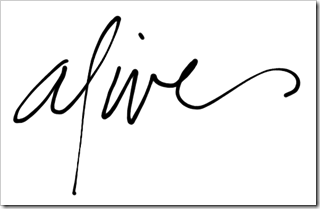
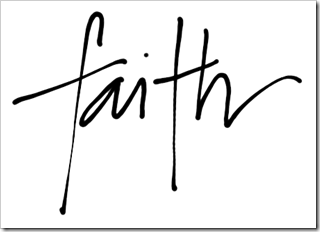
And here are a few random examples to show you what the words look like:

alive2

faith

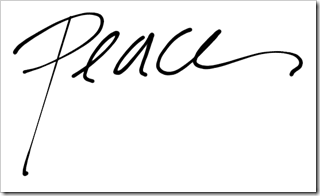
peace2

If you'd like a copy of these word doodles for yourself, all you have to do is click the button and it will take you to the download page:

DOWNLOAD

I hope having your word displayed somewhere prominent helps you throughout this year, and that the other words fill you with inspiration. I know they certainly did that for me. I thought of each of you as I wrote them out and prayed that your year was filled with much learning and grace.

divider red

I can’t wait to see what you guys came up with this week! Just click below and follow the instructions to link to your project. When it asks you to choose the web or a file for your thumbnail, choose web. Then it will take you to a list of the images on the page you are linking to and you’ll be able to choose a photo to represent your project.